Kloudy AI assistant
Tell it once. Consider it done.
Mail, calendar and documents on the web, on iPhone and on the Mac. Kloudy handles the routine, you have the final say.
From €950 · no commitment
- Writes nothing without your yes
- Undo within 24 hours
- Web · iPhone · Mac · Telegram
- Speaks Slovak, by voice too
What Kloudy does
Less routine. More room for real work.
Mail assistant
Sorts your mail, drafts replies and flags a suspicious draft, such as a price that isn't on your price list.
Calendar and diary
Creates and edits events and shows your week of events and tasks. Google, iCloud and other calendars.
Voice
Hands-free, and you can interrupt it by talking. Live call, “Hey Kloudy”, Siri, dictation anywhere on the Mac.
One-click recipes
Morning briefing, evening summary, unpaid invoices, a Friday report for the boss, weather for the building site…
Documents
Reads scanned files too (OCR) and creates Word, Excel, PDF and PowerPoint files.
Tasks and notes
Its own tasks, Todoist and ClickUp in one click, notes and repeating reminders.
Memory
Remembers what matters. You can bring your memory over from ChatGPT. You set the style of its answers.
Web research
Searches and reads pages, transcribes YouTube videos and fills in forms in a real browser.
Agent on your Mac
Works with files and apps on your Mac. You can control it from your iPhone too.
Where you work with it
Web, iPhone and Mac. One account, one Kloudy.
Web
Everything in one place: chat, voice, approvals, diary, documents, recipes. It installs as an app.
- live voice call
- wake by voice
- Telegram
iPhone
An animated orb shows what Kloudy is doing. Approve straight from the notification, critical steps with Face ID.
- Siri: “Ask Kloudy”
- control your Mac from iPhone
- works offline too
Mac · Kloudy Desktop
An agent right on your computer: files, apps, browser. A journal of what's coming up.
- dictation anywhere (Option + Space)
- “Hey Kloudy”
- Agent Island in the menu bar
Inside Kloudy
A real app. On your computer and your phone.
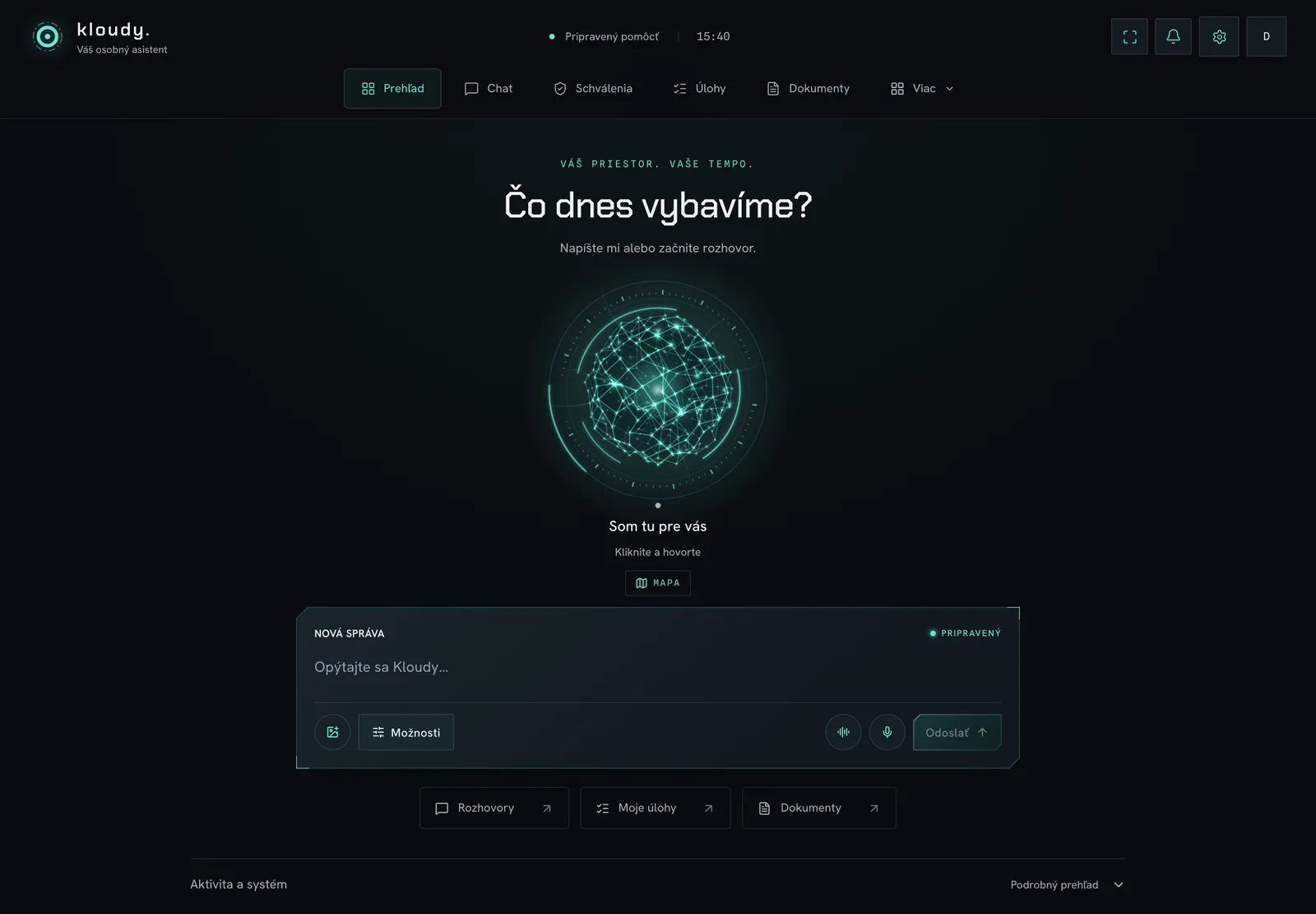
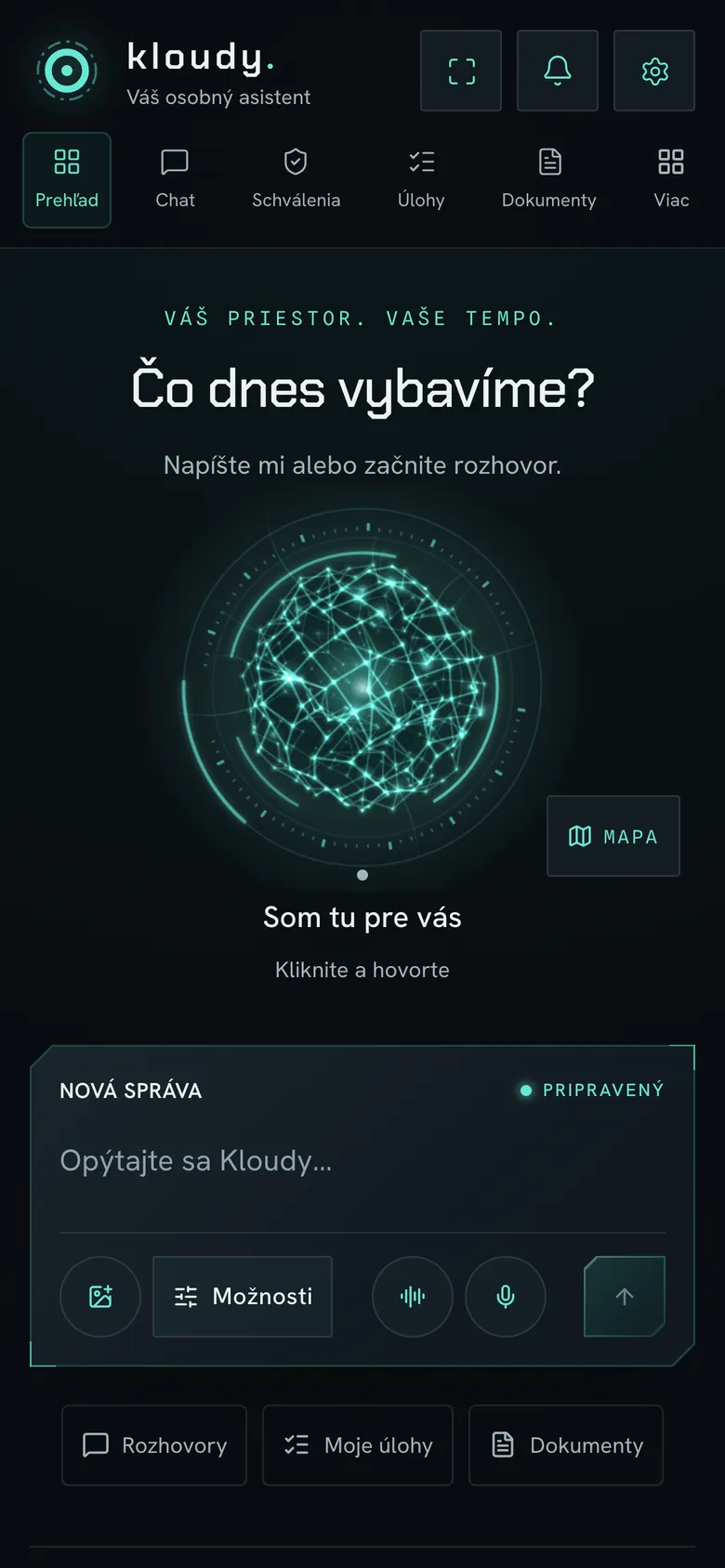
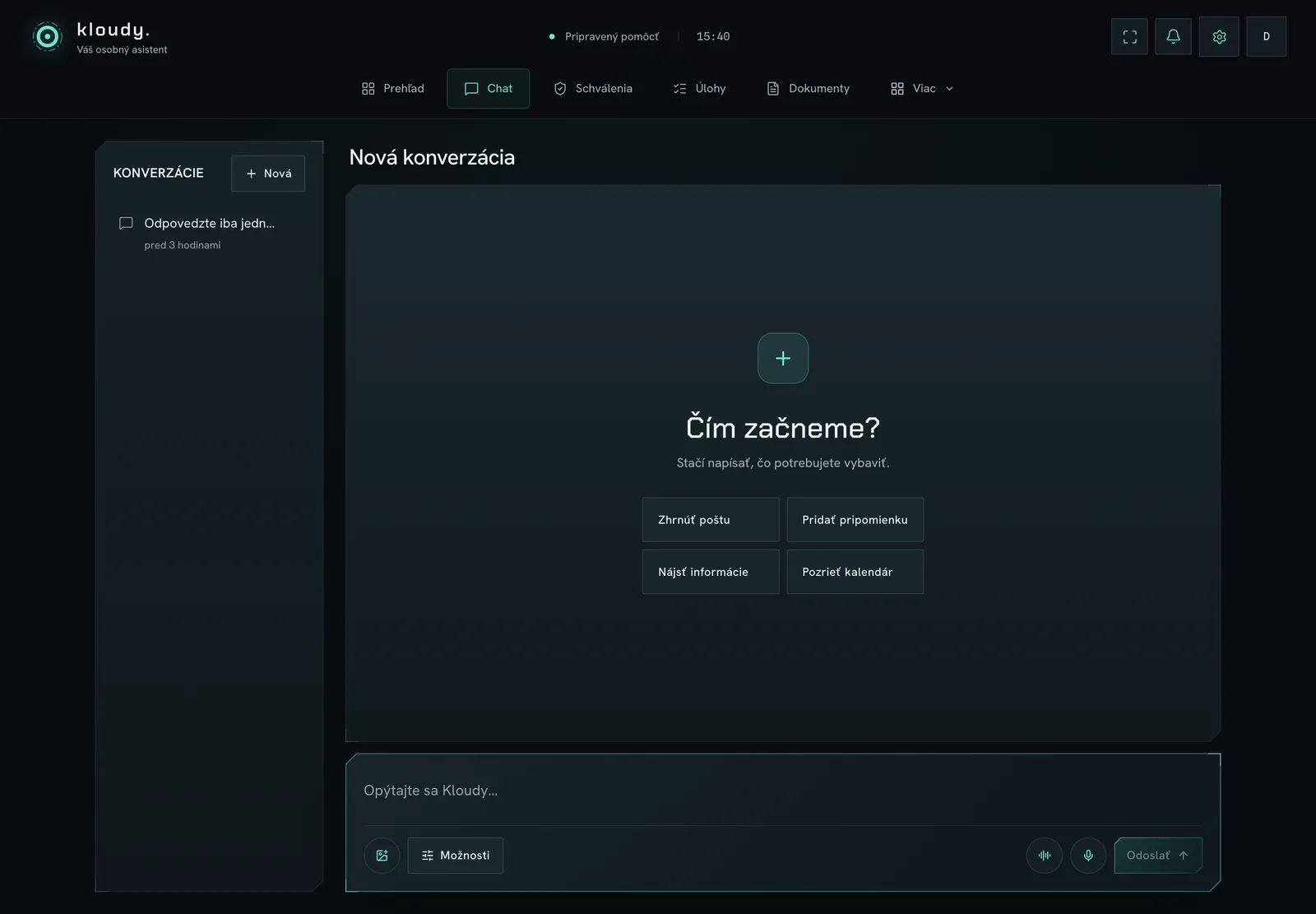
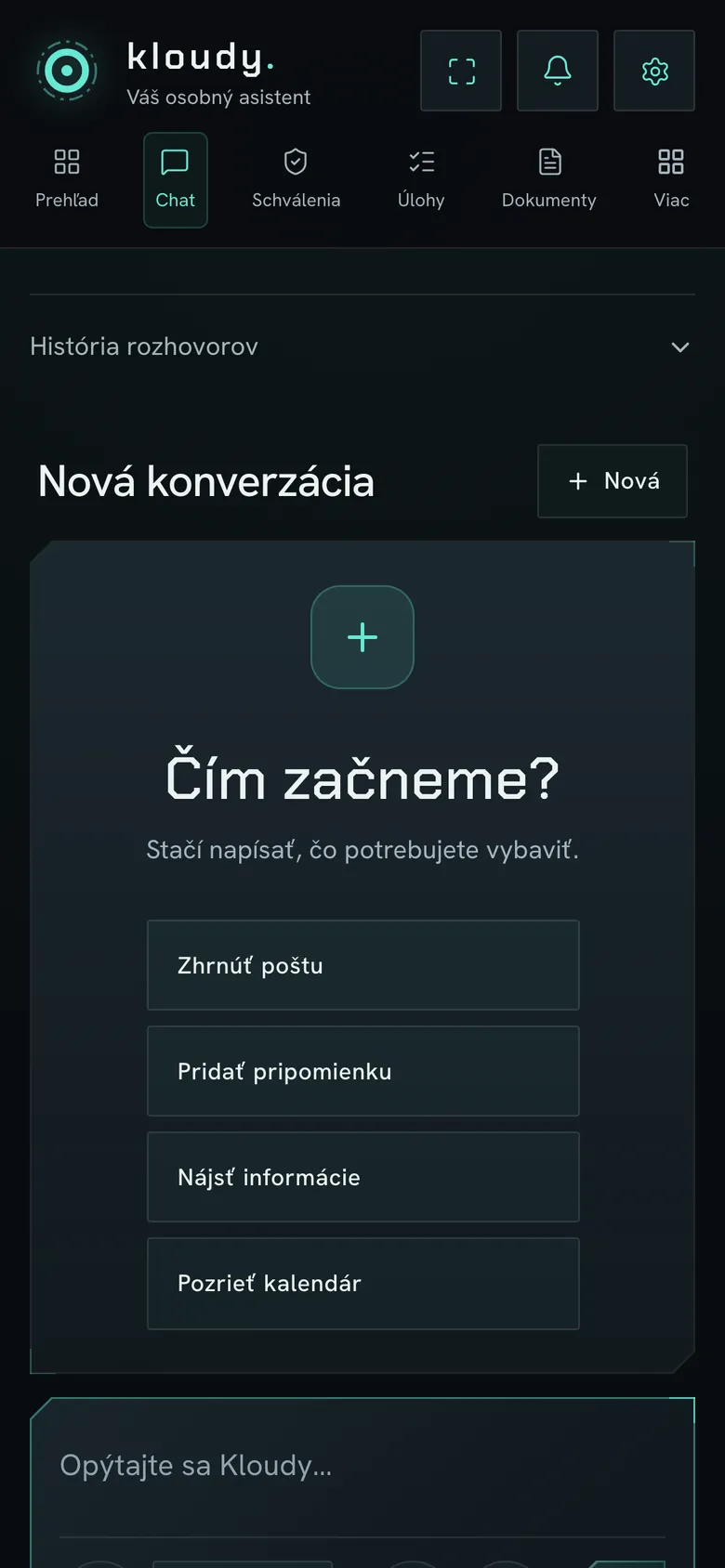
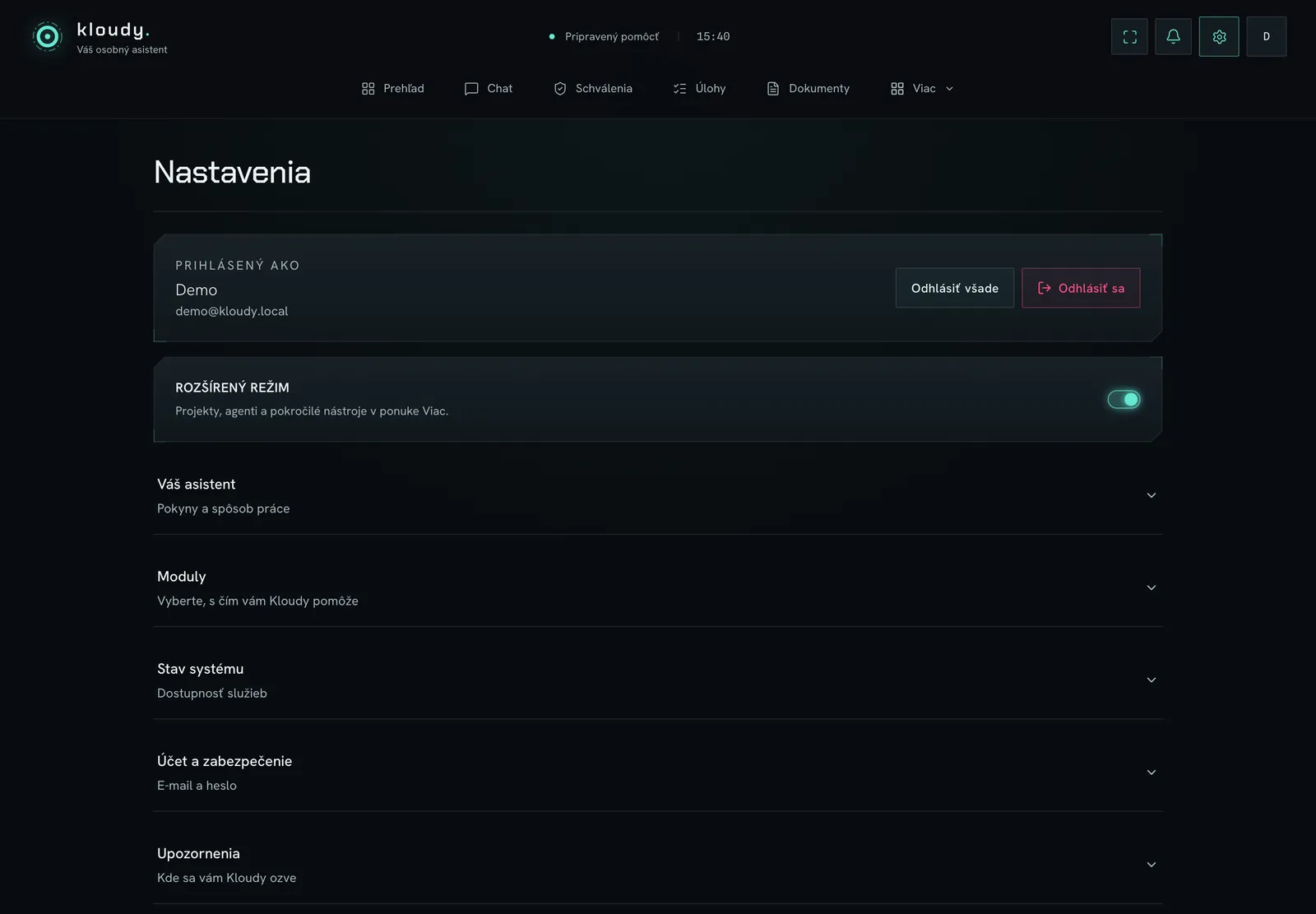
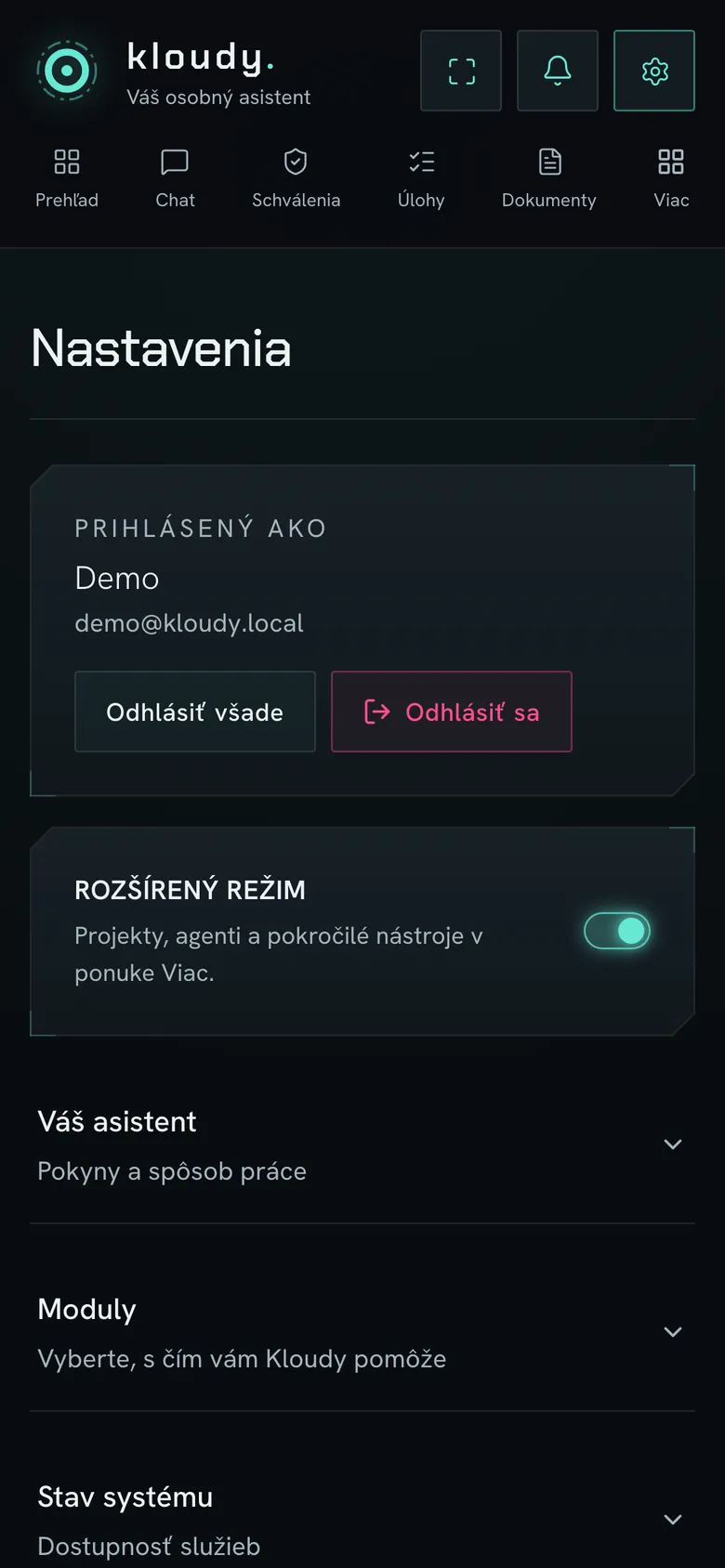
Overview, conversation, approvals, tasks and documents in one place. You type to Kloudy or talk to it.
Screens from a demo account with made-up data.
Morning briefing · 7:30
In the morning you know what's ahead.
Turn on the Morning briefing recipe in one click. Kloudy goes through your mail, calendar and tasks and sends a short summary, also as a voice recording for the car.
- 10:00Client meeting. The materials are ready.READY
- 3 ×Replies to enquiries are waiting for your approval.WAITING
- 14:30Calendar clash. I suggest moving it to 15:30.PROPOSAL
- !A supplier invoice is 5 days overdue.REMINDED
Security
Kloudy prepares. You approve.
- Anything it writes outside Kloudy waits for your approval, on the web, on iPhone or via Telegram.
- Critical actions (deleting, paying, sending mail) need a PIN or Face ID.
- A step that changed something can be undone within 24 hours.
- Instructions hidden in other people's e-mails or web pages can't write anything on their own.
- A daily and monthly AI spending limit. Passwords and keys encrypted, never in logs.
I've drafted three replies to this morning's enquiries. I'll send them once you approve. If you change your mind, I'll undo it within 24 hours.
Getting started
From your order to your first finished task.
You order
Choose a plan. For Custom, a 20-minute demo and a brief come first.
It walks you through
A first-setup wizard and a First steps checklist. Pair your iPhone with a QR code.
You connect your tools
AI key with limits, mail, calendar, Telegram, Todoist. You connect them yourself; we never see passwords.
It works
From day one. Turn on recipes in one click and add more whenever you like.
Plans
Three plans. One Kloudy.
Kloudy can do everything in Standard already, by text or by voice. The plans differ in scope and in who sets it up.
- For one person
Kloudy Standard
A ready assistant for mail, calendar and documents. On the web and on iPhone.
€950one-off + €99 a month- 1 mailbox, unlimited e-mails
- calendar, diary, tasks and notes
- voice, documents and web research
- recipes: morning briefing and reminders
- web, iPhone and Telegram
Pay by card, access right after payment.
- Recommended · full version
Kloudy Pro
The full version. Your whole agenda in one place, on the Mac too.
€1,950one-off + €99 a month- everything in Standard
- up to 5 mailboxes and calendars
- Kloudy Desktop: an agent on your Mac
- Todoist and ClickUp
- all recipes and website monitoring
- company memory: price list, templates, documents
Pay by card, access right after payment.
- We tailor it for you
Kloudy Custom
Pro, built by our team exactly to your requirements.
from €2,900one-off + from €99 a month- everything in Pro
- connectors to your systems as specified
- recipes and skills that follow your processes
- we set up instructions, price list, templates and rules
- team training, fine-tuning after 30 days
I want a custom KloudyA 20-minute demo and a brief first, then a quote.
| Feature | Standard€950 | Pro€1,950 | Customfrom €2,900 |
|---|---|---|---|
| Where it works | |||
| Web and iPhone | ✓ | ✓ | ✓ |
| Telegram | ✓ | ✓ | ✓ |
| Mac – Kloudy Desktop, an agent on your computer | – | ✓ | ✓ |
| Scope | |||
| Mailboxes | 1 | up to 5 | as needed |
| Number of e-mails | unlimited | unlimited | unlimited |
| Calendars (Google, iCloud, CalDAV) | 1 | up to 5 | as needed |
| What Kloudy does | |||
| Mail assistant, drafts, sending with approval | ✓ | ✓ | ✓ |
| Chat, voice, live call, wake by voice | ✓ | ✓ | ✓ |
| Diary, tasks, notes | ✓ | ✓ | ✓ |
| Documents: OCR, Word, Excel, PDF, PowerPoint | ✓ | ✓ | ✓ |
| Web research, video transcripts | ✓ | ✓ | ✓ |
| Memory and your own instructions | ✓ | ✓ | ✓ |
| Recipes | morning briefing, reminders | all | all + custom |
| Todoist and ClickUp | – | ✓ | ✓ |
| Company memory: price list, templates, documents | – | ✓ | ✓ |
| Setup and connections | |||
| Who sets it up | you, with the wizard | you, with the wizard | our team |
| Connectors to CRM, accounting, e-shop or ERP | – | – | built as specified |
| AI provider account and third-party services | you connect them | you connect them | you connect them |
| Team training and fine-tuning after 30 days | – | – | ✓ |
| Security and support | |||
| Approval before writing, PIN and Face ID | ✓ | ✓ | ✓ |
| Undo within 24 hours | ✓ | ✓ | ✓ |
| Daily and monthly AI spending limit | ✓ | ✓ | ✓ |
| Support | standard | priority | priority |
Prices exclude VAT, for one assistant and one user. No commitment. AI usage isn't included: you pay it directly to the AI provider, with a daily and monthly limit you set. You connect your AI provider account and third-party services (Google, Telegram, Todoist…) yourself; we never get access to them. For Custom, we confirm the scope of connectors up front in the quote.
Kloudy support
Want something changed? Found a bug?
Write to us. Put Kloudy in the subject so we know right away what it's about.
FAQ
What people ask before ordering.
Will it send anything on my behalf without asking?
No. Anything it writes outside Kloudy waits for your approval. Without asking it may only make reversible entries in its own data, such as a task or a note. Critical actions need a PIN or Face ID.
What if it makes a mistake?
It can, like any colleague. That's why nothing goes out without your approval, and a step that changed something can be undone within 24 hours.
Where do I work with Kloudy?
On the web, in the iPhone app and in Kloudy Desktop on the Mac. They all sign in to the same account. You can also type and talk to it via Telegram.
Which mail and calendar does it connect to?
Google (Gmail, Calendar, Drive, Sheets), other mail such as Centrum, Zoznam or your own domain (an e-mail address and password are enough), and iCloud and other calendars over CalDAV. You connect them yourself.
How much does the Kloudy AI assistant cost?
Standard €950, Pro €1,950 and Custom from €2,900 one-off, then €99 a month. Prices exclude VAT. You pay AI usage directly to the AI provider, with a daily and monthly limit.
What's the difference between the plans?
Standard is a ready assistant on the web and on iPhone. Pro adds the Mac (Kloudy Desktop), more mailboxes, Todoist and ClickUp, all recipes and company memory. With Custom our team tailors it to your business and builds connectors as specified.
Will it see all my data?
Only what you connect to it. On a computer it sees only the folders you choose. You can revoke access at any time and export your data as a ZIP.
Do I have to set it up myself?
With Standard and Pro, yes, with the help of the wizard and videos. With Custom we set Kloudy up and train your team. You always connect the AI key and third-party services yourself.
Where do I report a bug or ask for a change?
Write to support@ai-co.sk and put Kloudy in the subject so we know right away what it's about. You can also ask for help right in the app.
What if I no longer want it?
Cancel at any time, no commitment. The service runs until the end of the paid month and you can export your data.
Can I withdraw from the contract?
If you order as a consumer, yes, within 14 days. Because you ask for the service to start right after payment, you pay a proportionate amount for what you received until then and we refund the rest. Details are in the terms.
Meet your new assistant.
20 minutes, live. Real tasks from your business. Room for your questions.
Support and changes: support@ai-co.sk · put Kloudy in the subject